I thought I was building an appointment scheduling application.
In reality, I was building an ecosystem around scheduling.
The Starting Point
GoPlanify (HelloTime) began with the simplest possible problem: how do professionals manage client appointments online?
The initial scope was clear and bounded. A calendar. A booking form. Done.
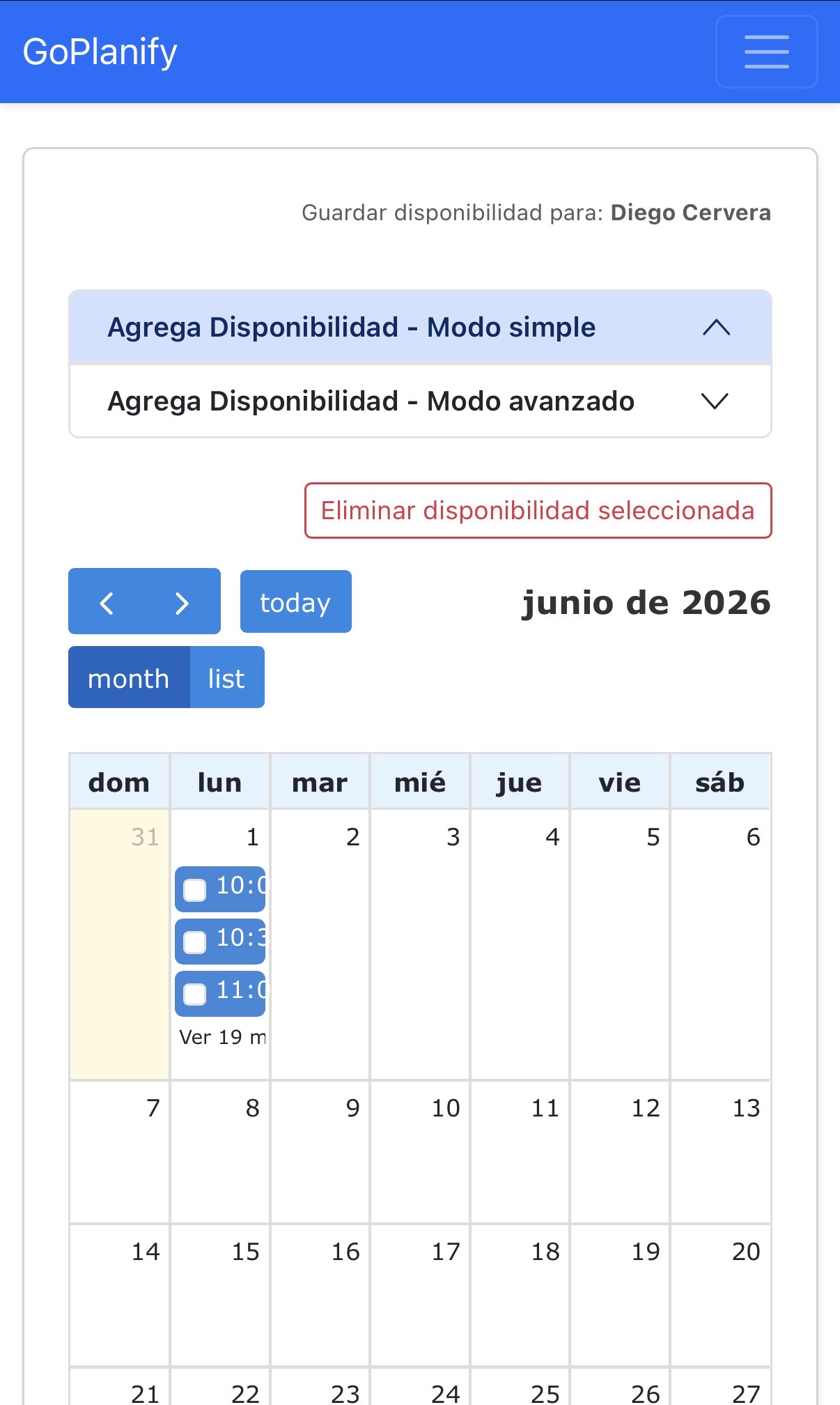
But shipping the first version was not the end of the story. It was the beginning of discovering everything that scheduling depends on.
How Complexity Emerges
The pattern I observed was consistent: each feature revealed an adjacent problem that also needed solving.
Scheduling → Availability Management
Before clients could book appointments, professionals needed a way to set when they were available. A calendar wasn't enough. You needed to define availability windows, recurring patterns, exceptions, and time zones.
Availability → Calendar Visualization
Setting availability as data was one thing. Seeing it visually was another. We built calendar views—month view, week view, day view—each with different use cases and information density requirements.
Calendar → Notifications
Having appointments on a calendar helped neither the professional nor the client if they forgot about it. Notifications became essential. But which ones? To whom? When?
Notifications → Multiple Channels
Email was a starting point. But not everyone checks email before an appointment. We added WhatsApp reminders, SMS, browser notifications, and in-app alerts.

Appointment Messages → Messaging System
Clients needed to ask questions before arriving. Professionals needed to send last-minute notes. Appointment-specific messaging became a subsystem of its own.
Single Professional → Organizations
The first version assumed one person using the system. But professionals work in teams. Assistants manage schedules. Teams share calendars. Organizations became a first-class concept in the data model.
Organizations → Roles and Permissions
Once multiple people could access the same data, we needed to define what each person could do. Admin roles. Scheduler roles. View-only roles. Invitations. Permissions became a system.
Bookings → Subscriptions
Sustaining the product required business logic. Monthly subscriptions. Usage limits. Plan tiers. Recurring billing added another layer of complexity.
Subscriptions → Payment Integration
Collecting money meant integrating with payment processors. MercadoPago webhooks. Handling failures. Refunds. Retries. The payment system became its own maze.
Global Users → Localization
Supporting users in different countries required more than translating text. Time zones. Date formats. Currency. Regulatory considerations. Localization touched every subsystem.
Public Access → Authentication
Public booking pages needed security. OAuth integration. Session management. Security headers. API authentication. What started as "users book appointments" became "users log in, manage their profiles, and control who accesses their data."
The Invisible Architecture
Looking back at the feature list, the complexity feels inevitable:
- Scheduling
- Availability management
- Calendar views
- Notifications (email, WhatsApp, SMS, browser, in-app)
- Appointment messaging
- Organizations and teams
- Roles and permissions
- Invitations
- Subscription billing
- Payment processing
- Payment webhooks
- Localization
- Authentication
- OAuth integration
None of these were premature optimizations. None were "nice-to-have" features added because we had time.
Each one solved a real problem that real users encountered.
But here's the insight: this wasn't one product. It was a collection of interconnected systems held together by a scheduling interface.
The architecture had to account for:
- Multiple data access patterns (real-time updates, eventual consistency, reporting)
- Eventual consistency between payment systems and app state
- Timezone-aware calculations across multiple regions
- Concurrent access to shared resources (calendars, availability)
- Webhook reliability and retry logic
- Permission checks at every data boundary
- Internationalization that affected core business logic
What This Reveals
Most articles about SaaS products focus on the happy path: "we launched, users loved it, we grew."
The hidden reality is different.
You're not really building one thing. You're building a system where scheduling is the interface, but the actual product is the ecosystem that makes scheduling work reliably for multiple users, across multiple time zones, with multiple access patterns, and multiple payment scenarios.
This isn't a limitation. It's the nature of real software.
Simple problems have simple solutions. But real problems—problems that real users care about enough to pay for—tend to have complicated solutions.
The complication doesn't come from ambition. It comes from completeness.
Lessons for Builders
1. Complexity is often evidence of product-market fit
If you're discovering adjacent problems, it usually means you solved the first problem well enough that users want to use it regularly. That's when the supporting systems become necessary.
2. Architecture decisions echo forward
Early choices about how users access data, how permissions work, and how systems communicate constrain (or enable) later features. Thinking architecturally from the beginning matters, even for "simple" products.
3. Scope expansion through requirements is different from scope creep
Scope creep is building features no one asked for. Scope expansion is discovering that solving one problem fully requires solving adjacent problems. The second is often necessary; the first is usually not.
4. SaaS products are multiplayer systems
Even products that seem single-user (a note-taking app, a todo list) become multiplayer once they're successful. Sharing features, collaboration, permissions—these aren't optional additions. They're inevitable.
5. The cost of a feature is not just code
Every new system adds:
- Data model complexity
- Operational complexity
- Testing surface area
- Security surface area
- Deployment risk
- Performance implications
Building each feature also meant maintaining infrastructure around it.
What Stays Simple
Not everything needed to become complex. Some early decisions held up well:
- Keeping the scheduling interface focused and uncluttered
- Separating concerns (calendar logic, notification logic, billing logic)
- Using existing services for hard problems (OAuth, payments, email delivery)
- Maintaining simplicity in the data model where possible
The key was distinguishing between essential complexity (features users needed) and accidental complexity (poor design choices).
Building for Evolution
The most useful thing I learned is that products are not static.
Initial scope estimates are usually optimistic. What you think is "version 1" is often just the beginning.
This doesn't mean over-building at the start. But it does mean:
- Choosing architectures that can scale in complexity
- Writing code that can be refactored, not just extended
- Documenting decisions so future changes don't break them
- Building systems that can coexist without breaking each other
The real skill in solo development is not moving fast on one feature.
It's choosing which features to build, in what order, with which architectural constraints.
Every choice compounds. Every system becomes a foundation for the next one.
Conclusion
GoPlanify exists not because appointment scheduling is complicated.
It exists because solving appointment scheduling completely—for multiple users, multiple regions, multiple access patterns—requires building an ecosystem.
That ecosystem is mostly invisible. The user sees a calendar and a booking form.
Behind those simple interfaces lives a system that handles availability zones, permission models, billing cycles, notification routing, and a dozen other concerns that only exist because we committed to solving the problem completely.
That commitment to completeness is what separates a toy project from a real product.
And that's worth documenting.